One-tap SSH command execution for admins on Android devices
Ssh Remote lets you trigger preconfigured SSH commands with a single tap, using button-based execution and real-time terminal feedback to run routine tasks from a phone. Developed by classbilisim, the app uses JSON configuration files you prepare on a desktop to import command sets and server profiles. It supports public key authentication and multiple server profiles, making it suitable for system administrators, DevOps engineers, and Linux enthusiasts who need repeatable, mobile-friendly command workflows.
What does the app do and how is it configured?
Ssh Remote maps commands to on-screen buttons and reads those mappings from a JSON file you create on a computer, then import into the app. The JSON-based configuration supports multiple server profiles and command sets, and the import/export functions let you copy configurations between devices. That desktop-to-mobile workflow removes mobile typing and centralizes complex command strings in a single editable file.
Does it affect device or connection performance during use?
The app runs on Android and focuses on sending discrete SSH commands rather than hosting an interactive shell session, so its runtime footprint stays narrow during command execution. Because it opens short-lived SSH connections for each action, the network impact is limited to the duration of the command and the terminal feedback stream. This design avoids persistent sessions and reduces background resource consumption on the device.
Is it secure and safe to use on production servers?
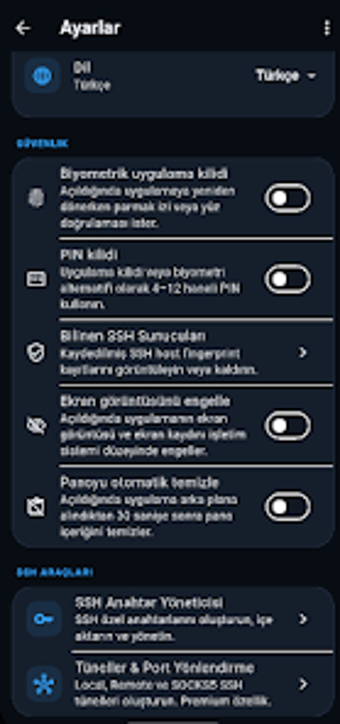
The developer prioritizes key-based authentication: public key (RSA/private) access is the recommended method for encrypted server access. The app's reliance on public key authentication and support for profile-based connections lower the need to enter secrets on the phone. Real-time terminal feedback shows command output, which helps verify results after execution without granting an interactive terminal for extended sessions.
Practical tool for controlled, repeatable remote tasks on the go
The app is a focused utility for administrators who need to run specific scripts or service commands from an Android device without typing complex strings. Its JSON workflow and key-based authentication match technical workflows used by sysadmins, while button-based triggers speed routine operations. Use it when you have predefined commands and prefer a desktop for edits. Recommended.